
EasyPantry for iPhone, iPad and iPhone Duo
Cook with what you have.
Track your pantry, fridge and freezer, see the recipes you can make right now, and plan the week from the meals you prep.

Free for up to 25 ingredients and 2 meal preps, with unlimited recipes. No account needed. See plans
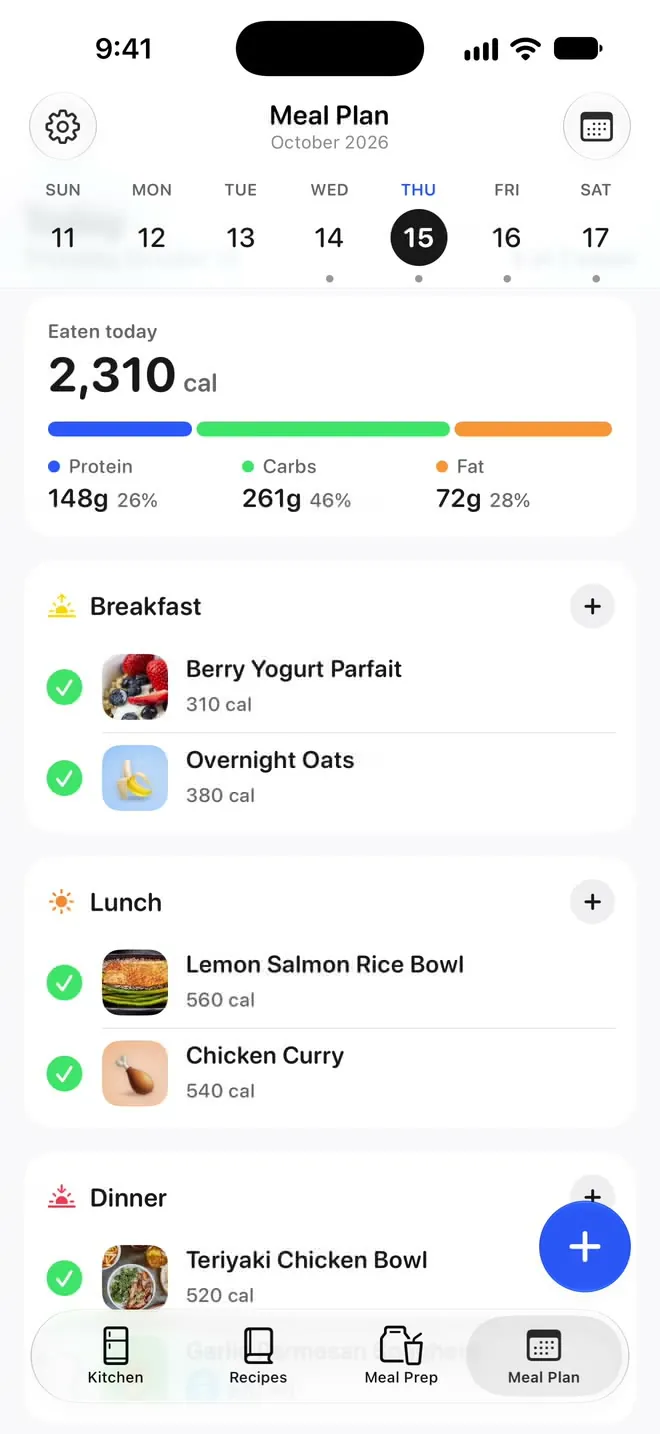
iPhone Duo
Designed for iPhone Duo. Closed or open.
Closed, EasyPantry fits the outer display. Open it, and your kitchen, recipes and Meal Plan have room to spread out across the inner display.


And on iPad.
The same kitchen, with a sidebar for the stat tiles, storage places and categories beside All Ingredients. With Pro, iCloud sync keeps your kitchen on all your devices.
Kitchen
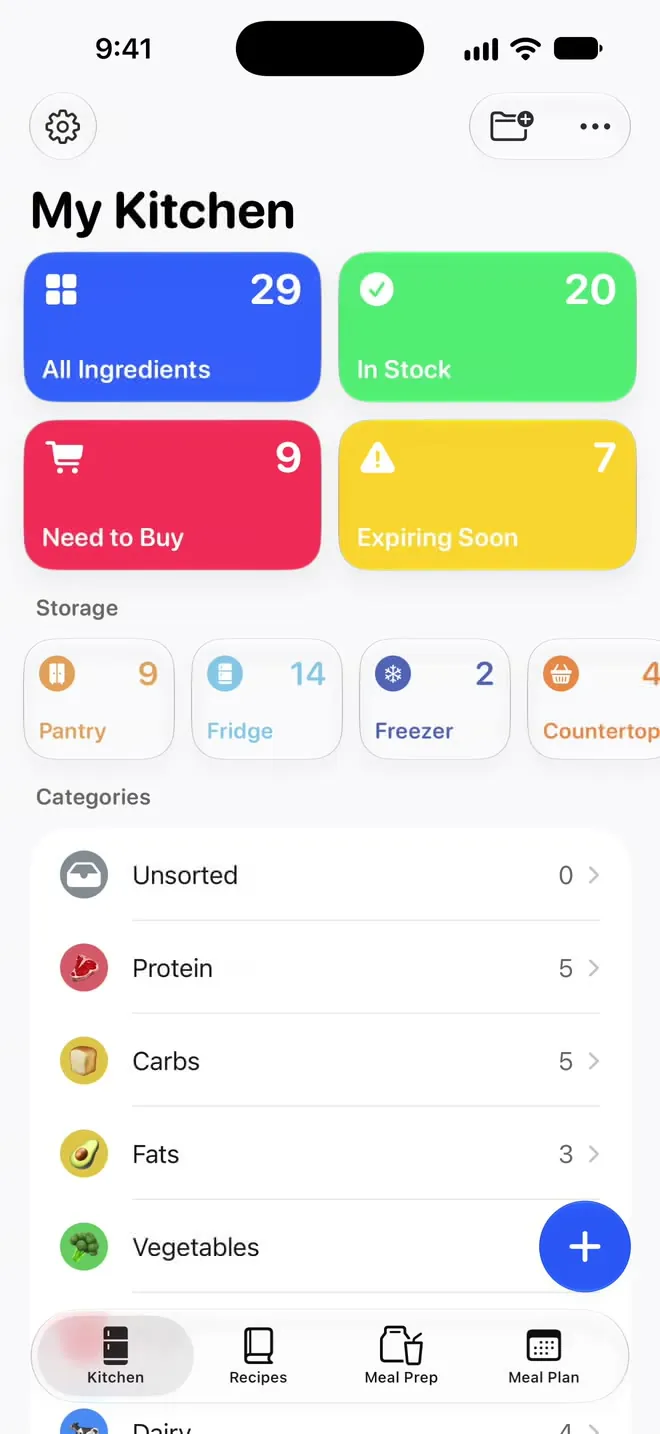
Know what you have. Your whole kitchen on one screen.
Four tiles answer the questions you actually have before a grocery run: how much is in here, what’s in stock, what you need to buy, and what’s about to go bad.
Pantry, fridge, freezer and countertop come set up. Search finds any ingredient, recipe or meal prep.

Tap Need to Buy and everything that’s low or out is already on it, grouped by category.
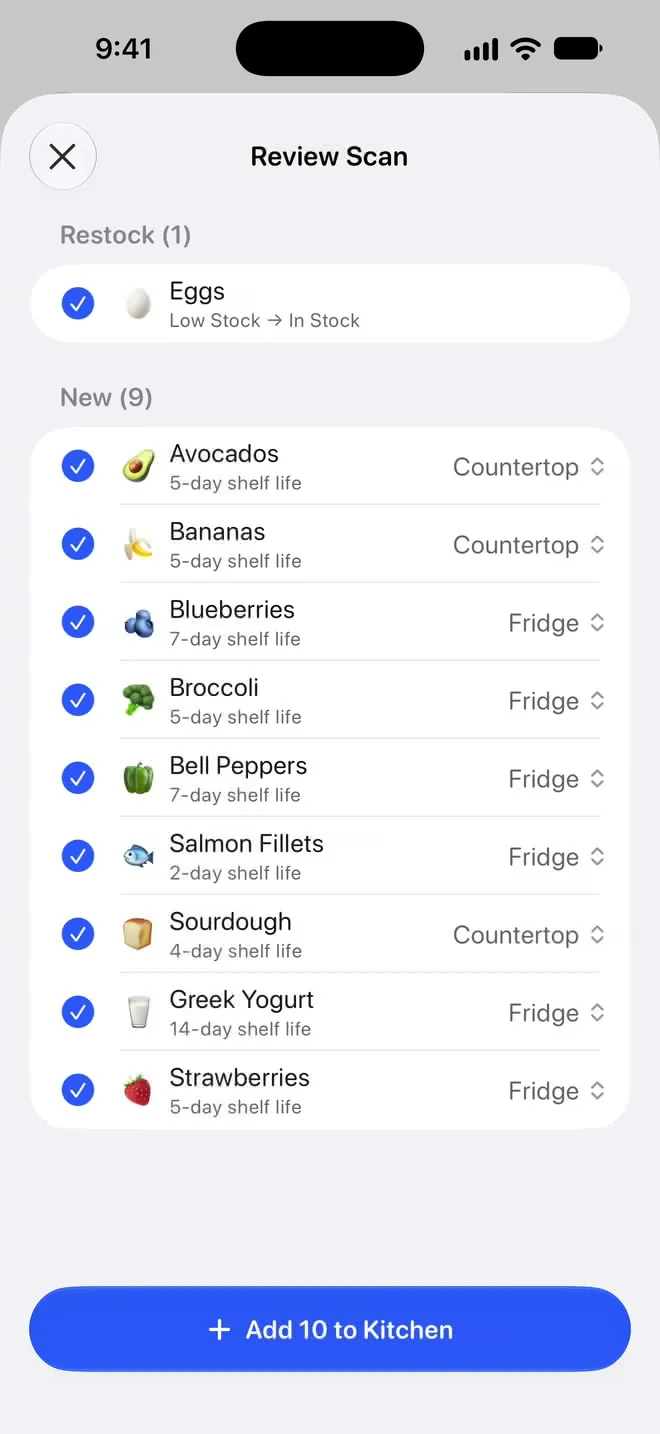
Pro Scan a receipt or take a photo of your groceries, review the list, then add everything at once. A receipt is read on your device and only its text is sent. A photo is sent to be recognized, and only when you tap the button. See what each scan sends
Green is in stock, yellow is running low, red means you’re out. You can read your whole kitchen from across the room.
Recipes
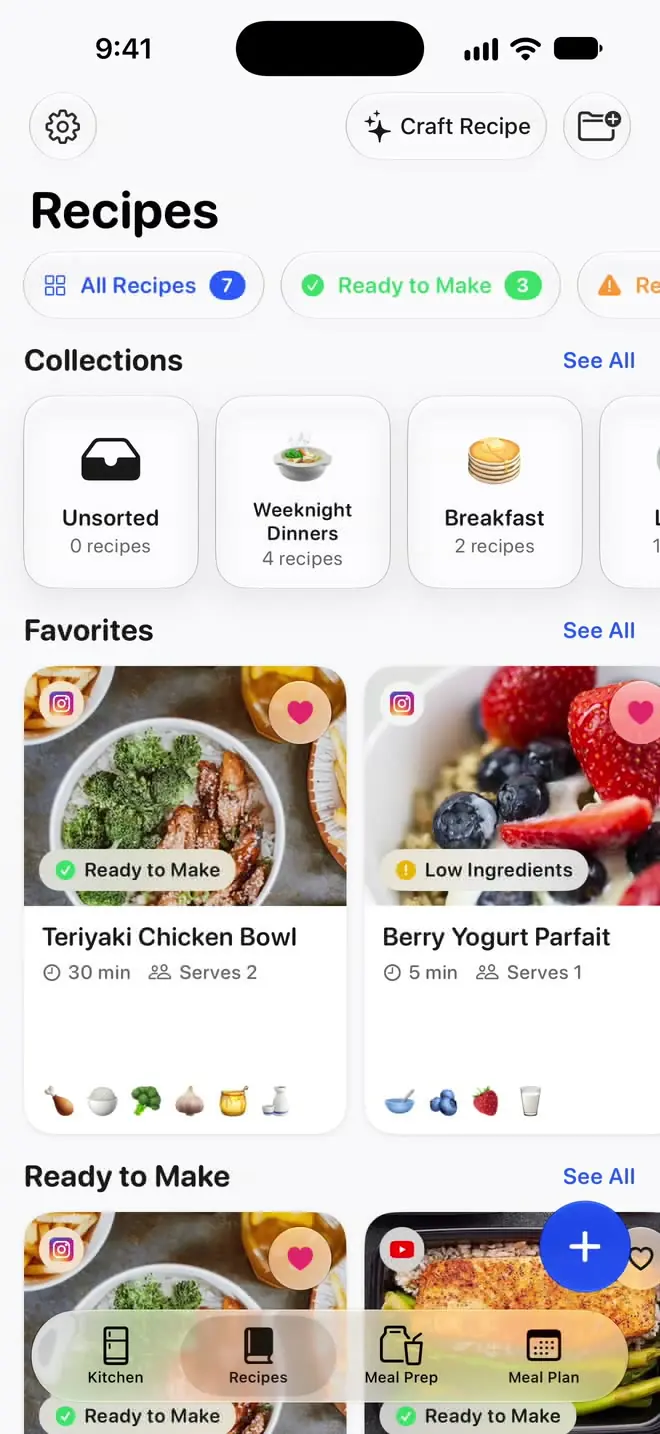
See what you can make. A recipe box that knows your kitchen.
Every recipe carries a badge based on what you have right now. Filter to Ready to Make and you’re looking at dinner, with no shopping trip in between.
Open a recipe and it shows what you have and what you still need.
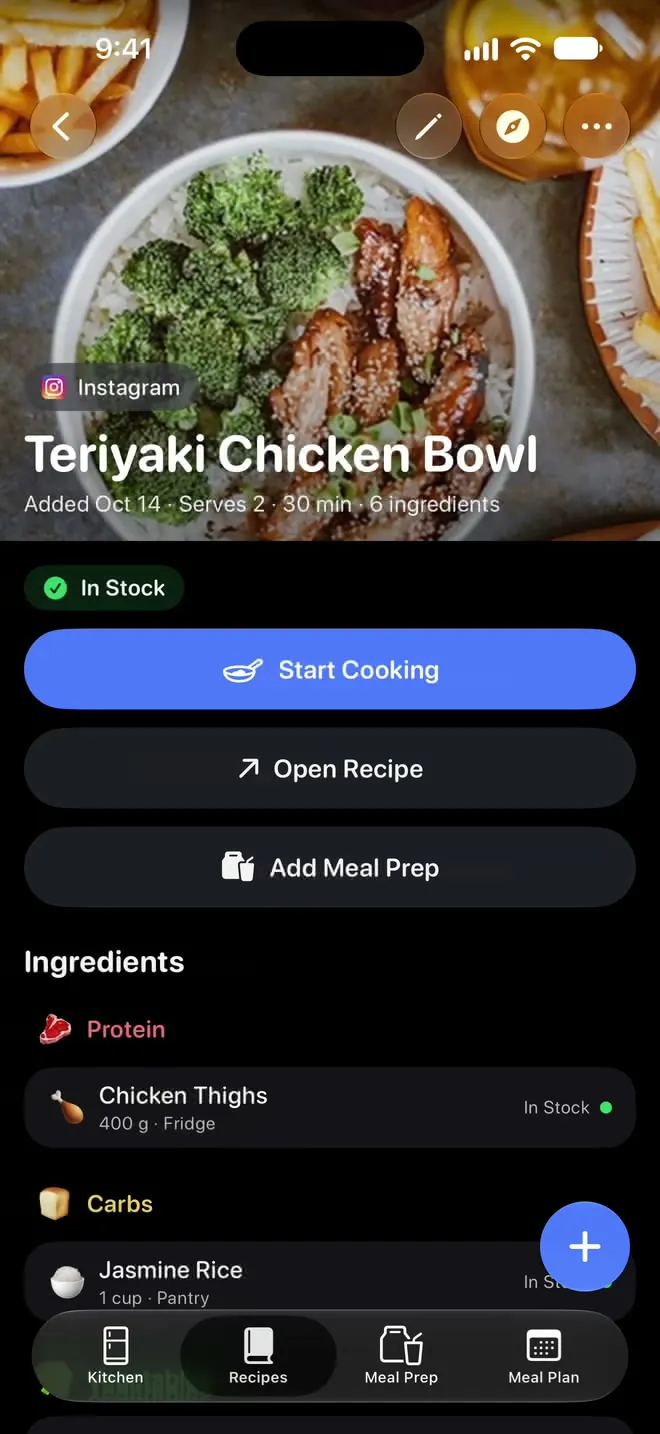
Filter to Ready to Make and only the recipes you can make with what you have are left.
Hit share on a recipe in Instagram, TikTok, YouTube, Safari or any other app and it lands in your recipe box, with its source kept. Pro reads its ingredients and matches them to your kitchen.
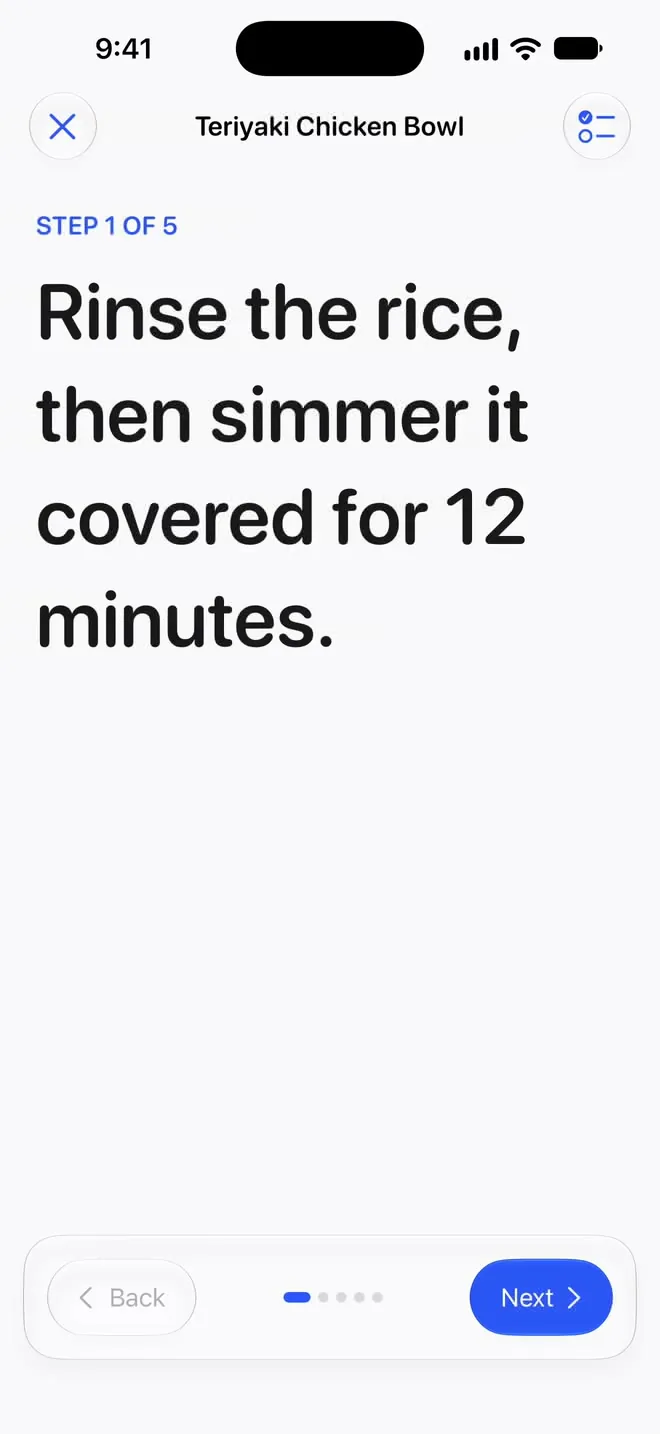
Tap Start Cooking for one step at a time, in type big enough to read from across the counter.
Meal Prep and Meal Plan
Cook once. Plan the week from what you’ve prepped.
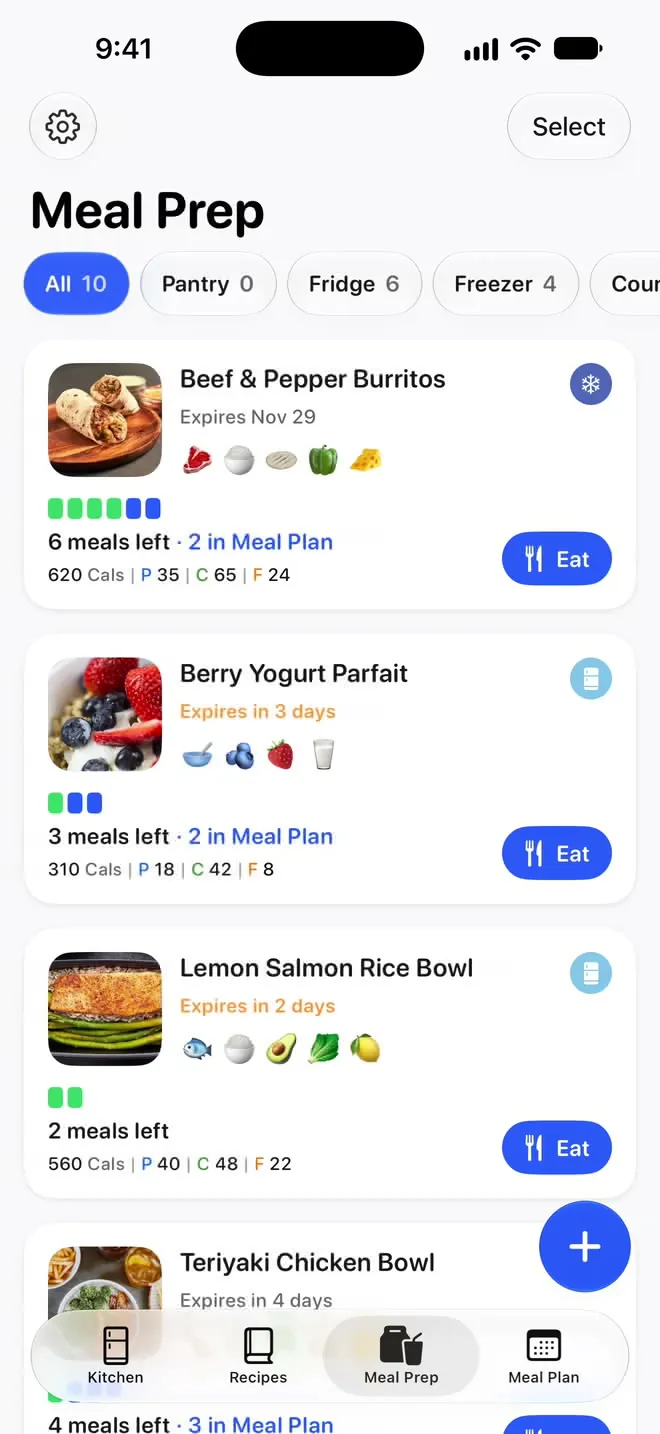
Save each batch you cook, with how many meals it made, where it’s stored and when it expires. Put your meal preps on the days you’ll eat them, then check them off as you go.
Tap Eat and the count goes down, so the containers at the back of the freezer stop being a mystery.
Check off a meal and the day adds up its calories, protein, carbs and fat from the nutrition you’ve entered.
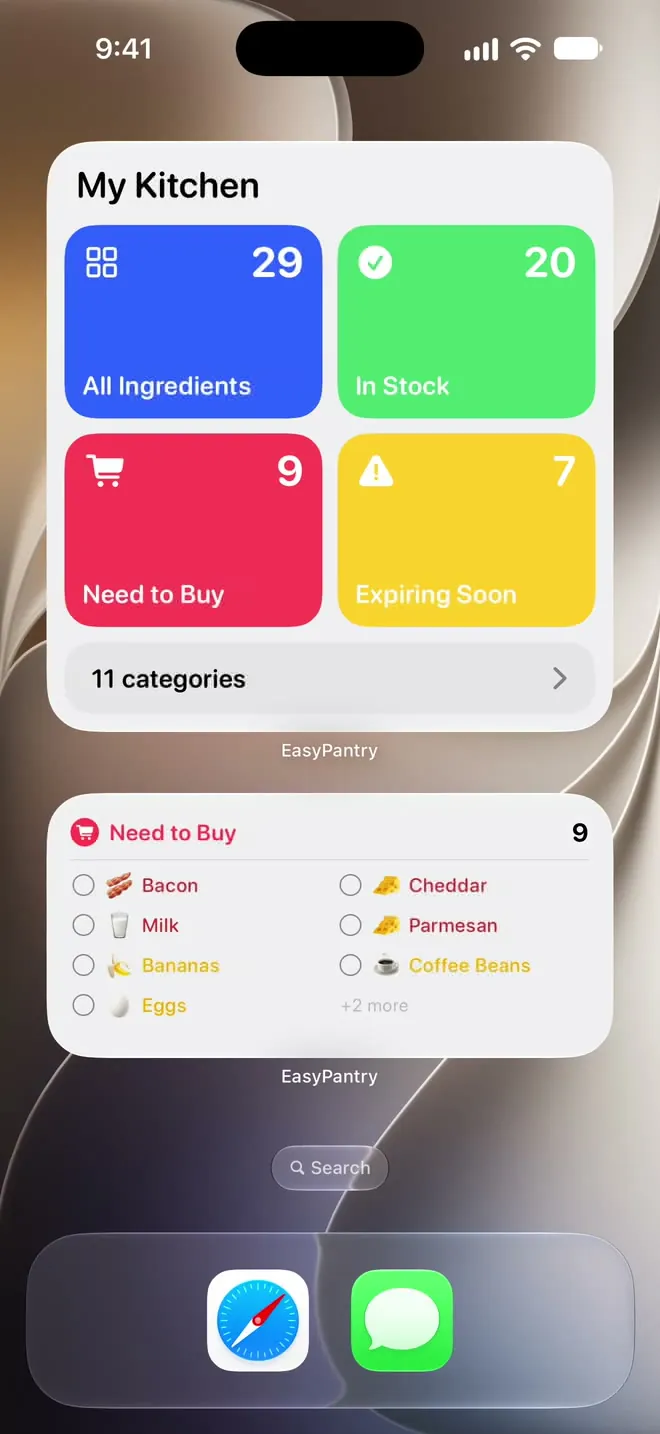
Pro Home Screen widgets put a Kitchen overview, your Need to Buy list and Today’s Meal Plan where you’ll see them.
Craft Recipe Pro
Dinner ideas from what’s already here.
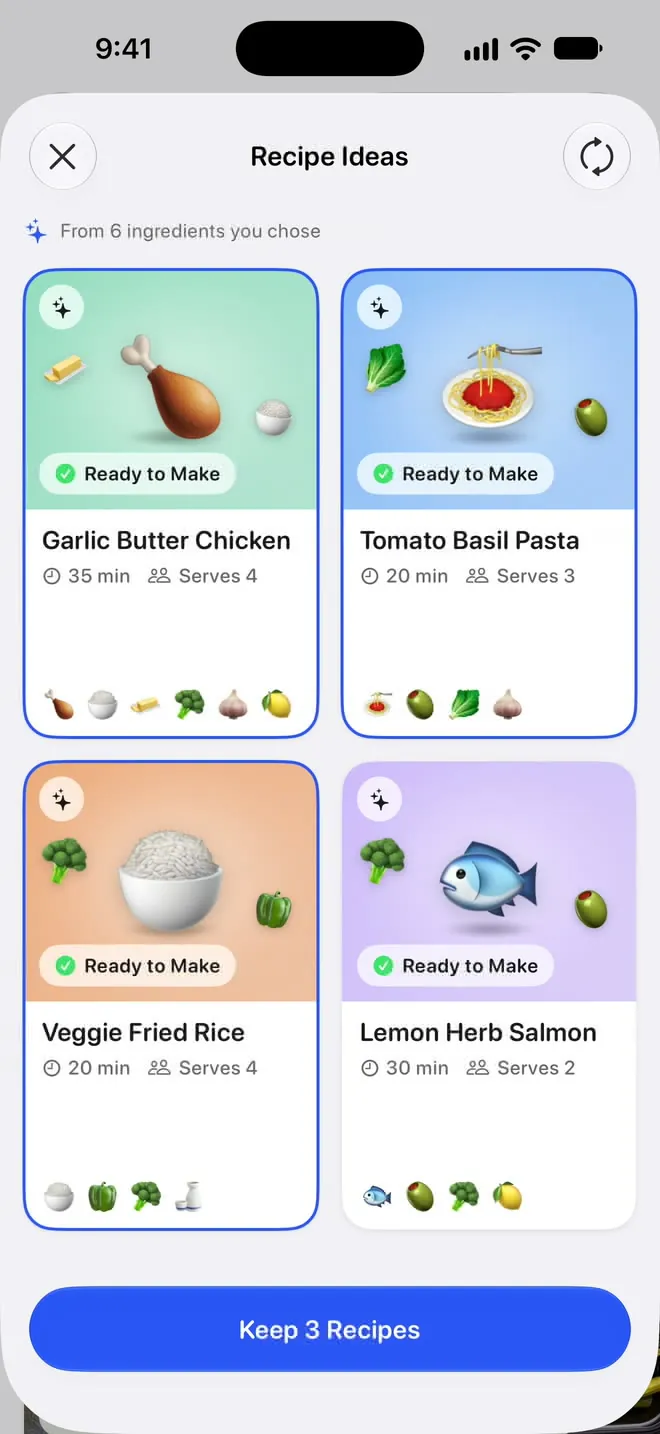
Choose the ingredients you want to use, and Craft Recipe comes back with recipe ideas built around them. If you’ve saved dietary preferences, the ideas take them into account.
Keep the ones you like and they’re saved with the rest of your recipes.
Fair use: Craft Recipe writes up to 40 recipes a day and 150 a month. See what it sends
And so much more.
Siri and Shortcuts
Ask what’s on Today’s Meal Plan or what’s expiring soon, eat a meal, add one to your Meal Plan, or update what’s in stock.
Apple Health Pro
Each meal you check off is saved to Apple Health with its calories, protein, carbs and fat. EasyPantry only writes to Health. It never reads anything from it. How it handles your data
iCloud sync Pro
Keeps your kitchen on all your devices, through your own iCloud account.
Save from any app
Share a recipe from Instagram, TikTok, YouTube, Safari, Pinterest, Facebook or any website, and it lands in your recipe box.
Expiration reminders
Set an expiration date and choose when to be reminded, from 1 day to 1 month before.
Automatic expiration dates Pro
EasyPantry can fill in the expiration date for you, with an estimate of how long that food keeps.
Thaw reminders
Put something in the freezer and a thaw reminder tells you when to start thawing it.
Your own storage places Pro
Pantry, fridge, freezer and countertop come set up. Add the ones your kitchen actually has, like a garage freezer or a spice rack.
Collections and favorites
Group recipes into collections, mark the favorites, and keep each one’s calories and macros with it.
Quick Add
Put takeout, a snack or anything else on your Meal Plan, so each day still adds up.
Search
Finds any ingredient, recipe or meal prep.
Dark Mode and 10 languages
Wherever you open it, EasyPantry comes in Dark Mode and in 10 languages.
Your kitchen is nobody else’s business.
Stays on your device
Your inventory, recipes and Meal Plan live on your device. No account to make, no sign-up before you can add your first ingredient. Pro’s AI features send only what they need to do the job.
Sync you control
Pro adds iCloud sync, which moves your kitchen between your own devices through your own Apple Account. Apple Health sync is off until you turn it on, and it only writes the meals you eat. It never reads your health data.
No ads
EasyPantry is paid for by the people who subscribe to it. There are no ads and nothing to sell to anyone else.
Start free. Go Pro when you’re ready.
The free tier is a real kitchen tracker, not a trial. Pro lifts the limits and adds Scan Groceries, Craft Recipe, automatic expiration dates, Apple Health sync and more.
-
Free
$0
Yours to keep: up to 25 ingredients and 2 meal preps, unlimited recipes
-
Pro Monthly
$5.99 / month
Pay month to month, no free trial
-
Pro Yearly Best value
$39.99 / year
Just $3.33 a month, 44% less than monthly
Starts with a 1-week free trial
Prices in US dollars. The free trial is available on the yearly plan only. Cancel anytime in Settings.
Compare Free and Pro
| Feature | Free | Promonthly or yearly |
|---|---|---|
| Ingredients | Up to 25 | Unlimited |
| Meal preps | Up to 2 | Unlimited |
| Unlimited recipes | Included | Included |
| Save recipes from any app | Included | Included |
| Meal Plan and cook mode | Included | Included |
| iPhone, iPad and iPhone Duo | Included | Included |
| Scan a receipt or a photo of your groceries | Not included | Included |
| Craft Recipe: ideas from what you have | Not included | Included |
| Ingredients read from recipes you import | Not included | Included |
| Automatic expiration dates | Not included | Included |
| Custom storage locations | Not included | Included |
| Sync meals to Apple Health | Not included | Included |
| iCloud sync across your devices | Not included | Included |
| Home Screen widgets, including Today’s Meal Plan | Not included | Included |
Who makes EasyPantry
“I wanted an ingredient and meal prep tracker that was actually easy to use.”
Writing about EasyPantry? Get the press kit.
Questions, bugs or ideas? A real person reads every message at support@easypantryapp.com.
Questions
Is EasyPantry free?
Yes. Free covers 25 ingredients and 2 meal preps, and recipes are unlimited. Meal Plan, Quick Add, cook mode, and iPad and iPhone Duo support are part of the free app. Nothing you’ve already added disappears when you reach a limit, and Pro lifts both caps when you’re ready for more.
Do I need an account?
No. There’s no account to make and no sign-up before you can add your first ingredient. Your inventory, recipes and Meal Plan live on your device.
Is there a free trial?
Yes. The yearly Pro plan starts with a one-week free trial, and if you cancel before it ends you aren’t charged. The monthly plan has no trial. Either plan can be canceled anytime in Settings.
What happens if I stop paying for Pro?
Nothing is deleted, and you keep using everything you added. You’re back on the free limits, so you can’t add more ingredients or meal preps past them, and while you’re over one you can’t rename those items or change their photos. The AI features, iCloud sync, Apple Health sync and Home Screen widgets stop until you resubscribe.
Which devices does it run on?
iPhone, iPad and iPhone Duo. It works with Siri and Shortcuts, has a share extension for saving recipes from other apps, and with Pro, adds Home Screen widgets.
I have an iPhone and an iPad. Will they show the same kitchen?
With Pro, yes. Turn on iCloud sync and your kitchen is kept on all your devices through your own iCloud account. Without sync, each device keeps its own kitchen.
Are there limits on the AI features?
Yes, fair-use limits that keep them fast and affordable for everyone. Craft Recipe writes up to 40 recipes a day and 150 a month, and the other AI features have limits of their own. If you reach one, the app tells you when you can make more.
Do I have to scan barcodes or connect anything?
No barcodes, and nothing to connect. Adding an ingredient takes a couple of taps. With Pro you can also scan a receipt or take a photo of your groceries, review the list, and add everything at once.
Does it work with Apple Health?
Yes, with Pro. Turn on Sync Meals to Apple Health and each meal you check off on your Meal Plan is saved to Health with its name, calories, protein, carbs and fat. Uncheck or delete a meal and its entry is removed. EasyPantry only writes to Apple Health and never reads anything from it. It’s off until you turn it on, and you’re asked for permission first.
Coming from Mealime?
Mealime said it would close on October 21, 2026. EasyPantry isn’t part of Mealime, but it has a Meal Plan, a recipe box you can save recipes into from any app, and a Need to Buy list. Here’s how to switch.
Start with what’s in your fridge right now.
Add a few things tonight and by the weekend you’ll know exactly what you can cook without a trip to the store.
Free on iPhone, iPad and iPhone Duo. Optional Pro subscription.